menuclose

Category Archives: For photographers

FAQ’S: Workflow and editing

Continuing on with some the small series of frequently asked questions I started last week, I am moving on to another question I received about workflow and editing.
Q: What sorts of editing software do you use and what does your workflow look like?

This is a question I not only get from other photographers, but a question my clients like to know.  Everyone’s systems are different and can be changing as new software comes out.  My current workflow after a wedding or session takes place generally looks like this: (and of course a list, because if you know me at all, you know I love lists!)

  1. After coming home from a session I upload all the files to an external hard drive.  If it was a wedding I was shooting, I will upload 1-2 photos on Facebook and Instagram the night of the wedding for the couple to have something to view when they get finished with the evening or for guest to see.
  2. Usually the day after the shoot or wedding, I will take the images into PhotoMechanic, and cull through the photos.  I choose some for blog posts, and then others to be edited for the entire gallery.  If you don’t know anything about PhotoMechanic, it is an incredibly fast culling system and well worth the investment!
  3. From there, I take the photos into Lightroom to edit in the Develop Module.  I edit first the photos for the blog, and if its a wedding, export the photos to dropbox, for my wonderful and incredibly talented editor Anne to edit.  If it is a full session, I edit through the rest of the photos for the client’s gallery in Lightroom. (Use this LINK to get a 30 day FREE trial to Lightroom and Photoshop in Adobe’s Creative Cloud)
  4. From there, I typically take photos that need further tweaks and edits into Photoshop for deeper editing (typically for newborn skin, removing items out of photos, dodging and burning shadows, etc.)
  5. After the photos are complete and edited, either from Anne or myself, I will bring the photos to Pass (the gallery viewing system) for clients to view and download their photos.
  6. When the photos are ready to be blogged (weddings are typically 2-3 days after the wedding, and lifestyle sessions can be later), I take the photos into BlogStomp.  This software is so slick and has made blogging for me faster and more efficient. There are so many options of putting photos together and it creates the sizing without having to take the time to resize each individual image.  Literally I can create a blog post in 10 minutes!
  7. For weddings, I also create a slideshow of the couple which is posted to Vimeo and I also attach to their blog post.  To create this, I use Animoto software, which creates a beautiful slideshow.  This software is free, but you can upgrade to the Pro level if you are wanting more options. (Get a free month when you use this LINK)
  8. The last thing I do mainly for wedding clients, but sometime Lifestyle clients, is to create an album for them.  In designing albums, I use Fundy Album Designer.  This drag and drop software again, makes creating an album fast and efficient.  I process most of my images and albums through White House Custom Colour, but if you have another lab that you work with, I am positive that they have your album company!

Phew!  I know. That is a lot of information thrown at you!  It can be overwhelming if you are just starting your business, but gradually if you add systems and software it will help you immensely be more efficient with your time so you can get back to other things!  Also, if you haven’t noticed, check out all the items in RED, as there are promo codes and links to all the systems that I use!  Have a fabulous Monday and feel free to e-mail me with other questions you might want me to answer!

Comment

Your email is never published or shared. Required fields are marked *

    FAQ’s:: Top 10 apps I use on my phone

    Happy Monday to you!  It you have been following the blog at all, you know that I have started a mini series where I am answering questions that I frequently get from photographers and friends.  Continuing on today the next question that I wanted to address::

    What are some of your favorite apps that you use on your phone?

    So here goes with links to all.

    White Noise:: I love using this app when I am at a newborn session and baby is having troubles sleeping.  Simply put your phone under baby as they are restless (making sure mom and dad are ok with it!) and ta-da: a hand held noise machine!

    Everlance:: This app keeps track of the miles I’ve used and can write off for business purposes.  It is seriously amazing.  I had Mile Tracker (which is a similar app) but for some reason, just liked this one more.  There is an annual fee that you pay to track your miles, but I have found it completely worth it.  I am notified when I have not tracked miles and at the end of the week, month and year.

    Uber:: I mainly use this app when working in the city or on vacation.  I feel like Uber has changed the way I travel and think of traveling through the city!!

    Pay Pal:: I do take a few credit card payments from clients and when I do, I use this app to send and track payments.

    My Radar:: A free app that I have found to be super accurate when tracking weather on a wedding day (ore really any day).

    PicTapGo:: From the founders of Totally Rad Actions, PicTapGo is a quick way for me to edit the photos taken on my phone when I add them to Instagram or Facebook.  There is a small fee for this app, but again, I know the software and I love it!

    Snapchat:: Now I am not a huge user of snapchat, but one thing I love, and so do my kids, and probably most kids are their fun filters.  Have a hard kid when doing a family session, help them warm up by putting some fun filters on and making them laugh ( of  course when after checking with mom and dad!)

    Tiny Scanner:: Another free app I use when needing to send and scan documents to clients.  Simply use the app to take a photo and whammo, you have a PDF ready to go out to your client!  Unless you are able to upgrade, you can only keep 2 documents in the program (kind of a downer).

    Google Maps:: Way better than the maps app that comes with the phone (in my humble opinion). Google maps is more up to date and helps me to know where to go and that I am on the fastest route!

    HootSuite:: This is my last and favorite app.  Hootsuite lets you schedule out all social media posts in advance.  I mainly use this app when I am on vacation, but want to maintain consistency when posting to social media sites.  A notification is sent and simply swipe to post.  The downside is that it still does take some time to do unless you upgrade to auto scheduling (something I am contemplating). You still have to go into your notification and copy and paste to your social media site, but can still write out in advance what you would like to say rather than spending time thoughout the day thinking about it!

    Have any other great apps that you like?  Please share, I always finding ones that will make my days more seamless and easier!

    Comment

    Your email is never published or shared. Required fields are marked *

      FAQ’s:: Lenses

      This week I am going to start on a series of FAQ’s for photographers who might be new to the business or maybe for those just wanting to know more about how I run my business.  All these questions come from a meeting I had back in January with a sweet, sweet friend looking at possibly starting her own photo business.  With her permission, she allowed me to use these questions as the launching pad of this mini series.  If you have questions that you would like me to address in further posts, please let me know!

      What is your favorite or most versatile lens? (and/ or the other lenses that you use.)
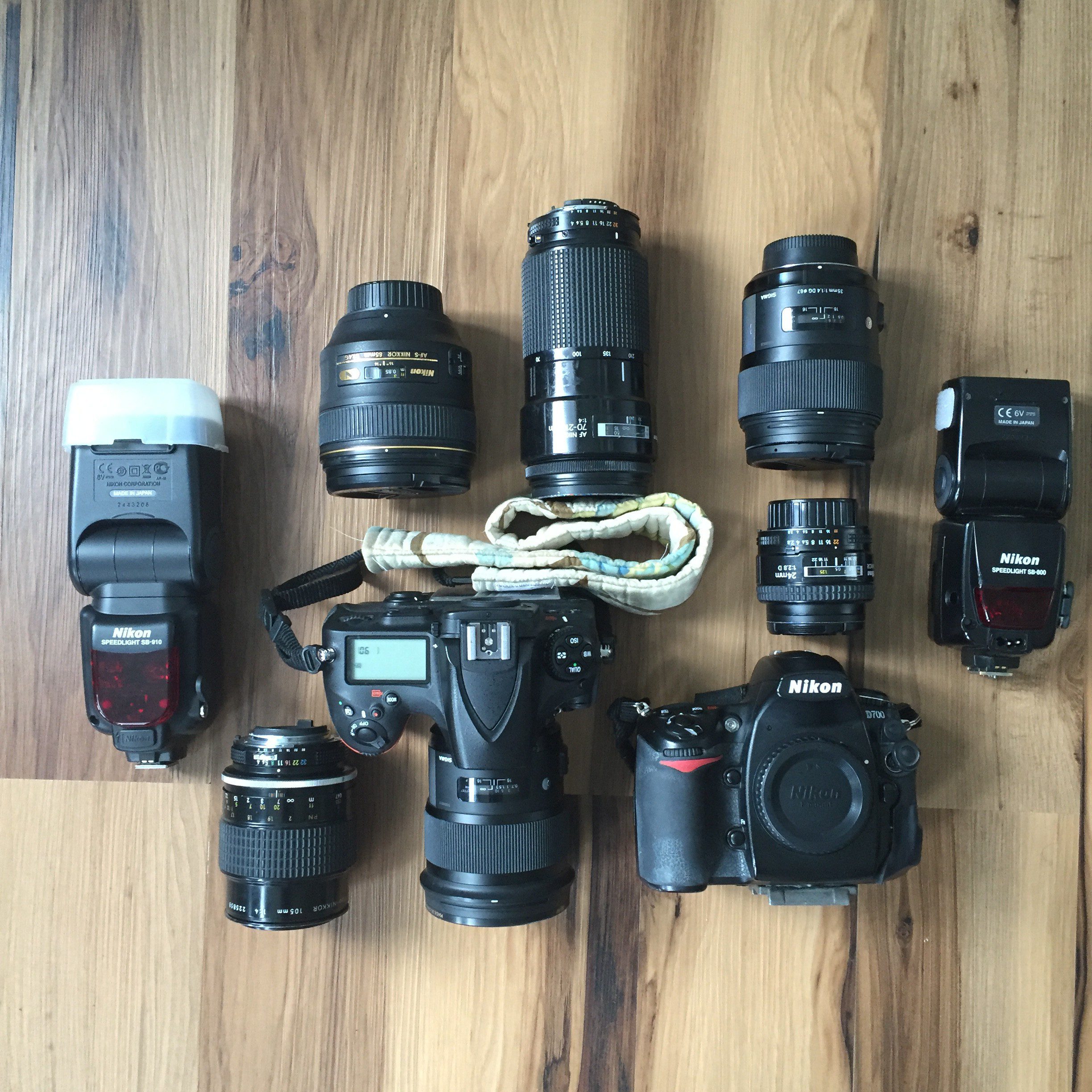
      In most of my shoots and even weddings, I revert to my Sigma art 50mm 1.4 lens.  I LOVE this lens and it is my baby.  I use it for most everything, and feel like I can get close and go way far back to achieve the results I am looking for.
      The second lens I love is the Sigma art 35mm 1.4 lens.  As a wide angle lens, this captures so much more of the big picture of the day.  Most likely these are the two lenses that I will shoot most of the wedding day on and be on my cameras.  Both of these are extremly versatile helping me to grab the look and feel I see happening in front of me.
      Other lenses that I go to are the 24mm, 85mm, Macro lens (mainly for detail shots of the wedding day) 135mm, and a 70-300 zoom (of which I use when shooting the ceremony).
      Hope that helps!  Happy Monday!

      Comment

      Your email is never published or shared. Required fields are marked *

        So you want to outsource… hiring a nanny!

        In the past few weeks, I have done a mini series on outsourcing to help you grow your business.  So far in the past few weeks on I have discussed some how’s to help manage your time and editing.

        Today I want to talk to you about hiring a nanny, baby-sitter or mother’s helper.  When my kids were small there I had all three at different times.  Our most consistent nanny was still in high school and needed her for the bulk of the summer. Eventually when she went to college, she worked for me when she could and I was able to work around her schedule.

        Now that my kids are in school, I am choosing to outsource to an editor and spend the summers with them, but when my kids were little, I chose to edit my own photos and hire a nanny/ baby-sitter when I was in the busy season.  Yes, this meant that I watched her play outside with my kids, but because she was only part time, she was a much needed break for me and for my kids!

        When/ if you choose to hire out a nanny, I have found that it is so important to work with someone your kids mesh with and a person that actually likes kids.  I know, hand to the head as in of course shouldn’t this be a given? But let me tell you I had to learn as I went.  In the past I did trades for people, baby-sitting in return for photo sessions.  While this seemed like a good idea in theory, I found that different baby-sitters had different ideas of what watching kids meant, and I felt like I was getting the cheap end of the bargain and so were my kids.

        I would recommend setting up clear boundaries and goals for your nanny’s.  When my kids were little it was pretty obvious; keeping them safe, feeding them, putting them down for naps, and keeping them away from me as I worked.  As they grew, I had to make it more clear boundaries to nanny’s of what I expected.  Some of these included making sure they had a plan for the day, some creative ideas for crafts and outside play, making sure that my kids weren’t watching too much TV, and staying off their phones for personal use unless an emergency.

        Just some thoughts for you as you tread the waters of outsourcing.  Feel free to e-mail or comment below with questions and I will do my best to answer as I know.  Who knows too, maybe one day your kids will be walking down the aisle to celebrate the marriage of one of your nanny’s! (Below is one of our favorite nanny’s who started watching my kids right after Ben was born! We are still good friends to this day!)

        Comment

        Your email is never published or shared. Required fields are marked *

          So you want to outsource… Leaving

          Last Thursday I started my own type of mini-series geared to mommas working at home in a photography business. While last week was geared toward mainly photographers, this week’s topic can really be geared at anyone that works from home, mom’s and dad’s alike.

          It is an area that I wrestled with even writing about because it is not necessary outsourcing your money, it is your time. The thing I want to focus on this week and did help me to have balance along the way was leaving my house.

          I know that sounds a little crazy, but whenever I was at home, my type A personality would kick into overdrive and I would have to be doing something. Of course work was always staring me in the face! Mind you, e-mails had to be written, invoices sent, and photos needed to be culled and edited, but I just knew that I couldn’t get quality time with my kids because my work was always there.

          So one of the ways I outsourced my time was physically leaving my house. I did lots of play dates with friends in the mornings before my kids napped. We did story time at the library, went to our local gym, swimming at the beach, or even on a walk to the park. It was anything I intentionally did with my kids and myself to physically take me away from work. When I left, I had separated myself from the chores that had to be done and the work that I seemed to slip back to.

          Now I have to preface this with the backing of this was early into the smart phone days. It is crazy, but even 8 years ago the smart phone was more of a luxury item. We did not purchase our phones until my oldest was in first grade, so I was blessed to not have it as a temptation. I’m sure it would have demanded my time then as it does today, but it was easier to separate myself from work. Now when I am out with my kids I physically have to zip it up in my purse or even shut it off (but this is a topic for another day as I am still wrestling with this device!)

          So there is my small piece of wisdom for today. Now I am shutting down and headed out to pick up kids, phone zipped in purse and all!

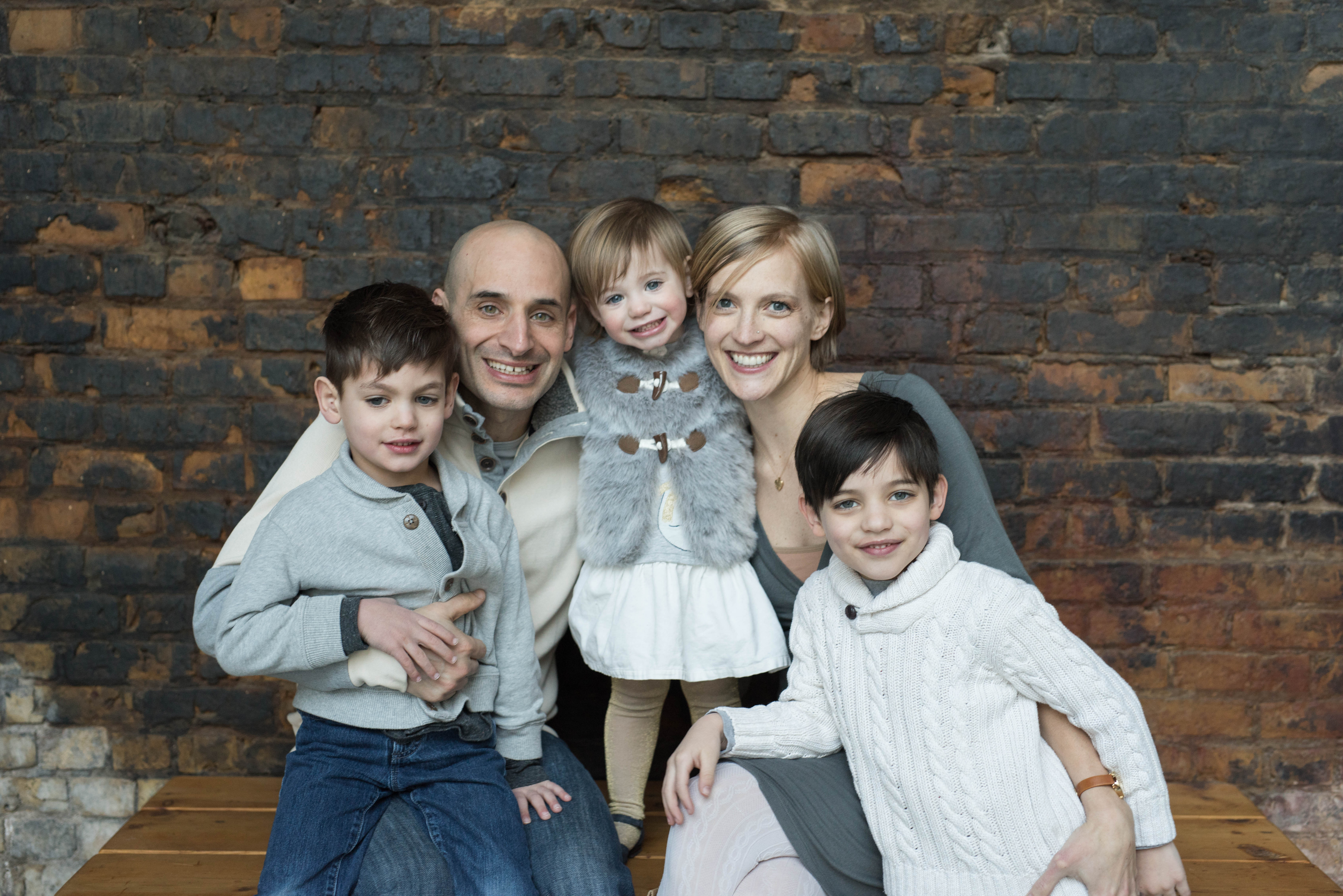
          (And below is from a recent session with some good family friends… mind you we left our house together!!)

          Minneapolis Family Photographer


          Comment

          Your email is never published or shared. Required fields are marked *

            Happy Easter!! He has risen indeed!!
            Brands

            Seniors
            weddings

            portraits
            FK

            Minneapolis Wedding and portrait photographer for the Modern & timeless


            Based in the Twin Cities area and available for travel worldwide.

            Get in touch with Karen for any questions.

            Submit

            Form submitted successfully, thank you.Error submitting form, please try again.